Choose your source
Open a profile, select Posts, Reels, Stories or Highlights, or paste supported links. Availability depends on your Instagram access.
 IGBulk
A focused Chrome extension for saving Instagram photos and videos. Pick what matters, organize it your way, and know exactly what saved.
Meet IGBulk ↗Chrome Web Store release coming soon. No download offered until approval.
 Scan → Choose → Save
Open a profile, select Posts, Reels, Stories or Highlights, or paste supported links. Availability depends on your Instagram access.
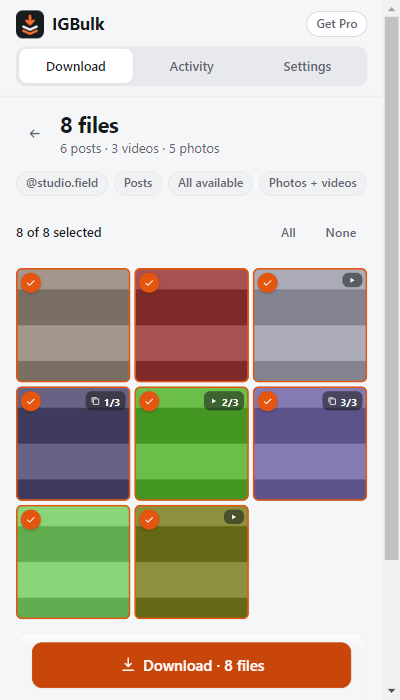
Preview files, choose photos or videos, and untick anything you don't need. Carousels stay easy to understand.
Download individual files or ZIP parts. Use naming presets, review progress, pause and resume, and retry failed files.
Unlimited bulk runs, more pasted links and remembered accounts, custom dates and naming, and JPEG date metadata.
$5.99 USD / month
Renews monthly. Cancel anytime.
Subscribe monthly$8.99 USD once
One calendar month. No automatic renewal.
Buy one month$59 USD / year
Renews yearly. Cancel anytime.
Subscribe yearlyMedia downloads run in your browser. IGBulk does not upload your Instagram media, passwords, captions, or download URLs to our server.
Automatic technical error reports include a random support ID so we can investigate problems. Feedback is sent only when you submit it.
Read exactly what we collect →Three successful bulk jobs per UTC week, up to five pasted links per task, and two remembered accounts for Only new. Scanning, ZIP output, naming presets, pause/resume and retries are included. Limits are enforced locally.
Yes. Open IGBulk → Settings → Plan to choose $5.99 USD per month with automatic renewal, $8.99 USD once for one calendar month without renewal, or $59 USD per year with automatic renewal. Payments use Stripe. Cancel recurring plans from Manage billing; access continues until the paid period ends.
Only media Instagram makes accessible to your session. Rate limits, removed posts, expired Stories and account restrictions can stop a scan. IGBulk labels incomplete scans.
Use IGBulk for content you own or have permission to download. Respect creators' rights, privacy and applicable platform terms. IGBulk does not bypass access controls.
Open Settings → Help in the extension and use Send feedback. Your support ID connects your message to technical error reports. You can also email help@audiofetcher.com.